

Running Fine-tuning via Felafax Open-source Repo
New! For an easier process, use our managed solution that handles
launching Trainium instances, installing dependencies, and provides a
ready-to-use fine-tuning notebook! Reach
out to us.
Step 1: Spin up a Trainium instance
Step 1: Spin up a Trainium instance
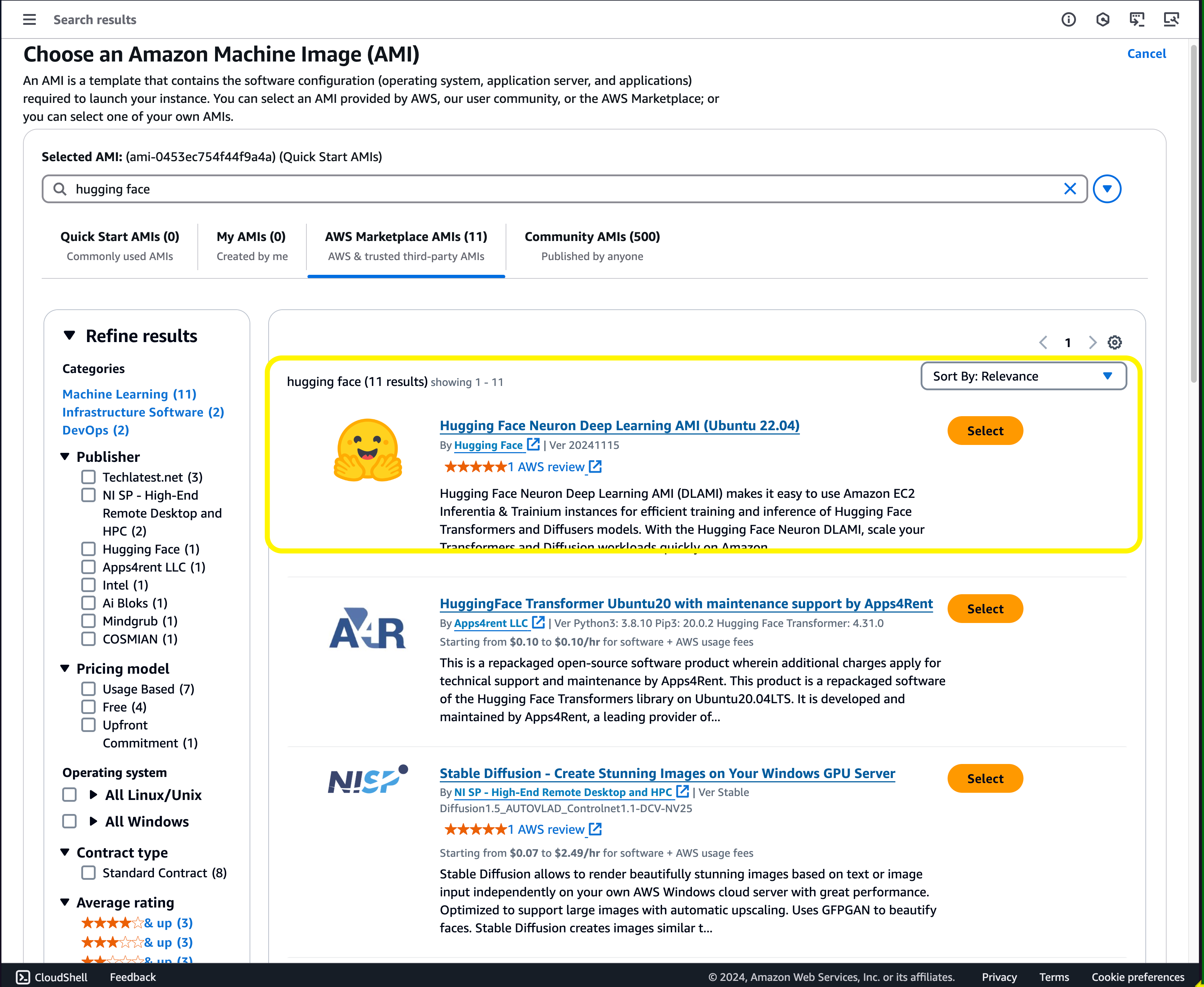
a. Go to AWS EC2 console and click on launch instance.b. Give a name to your instance, then browse the AMIs catalog and search for HuggingFace AMI.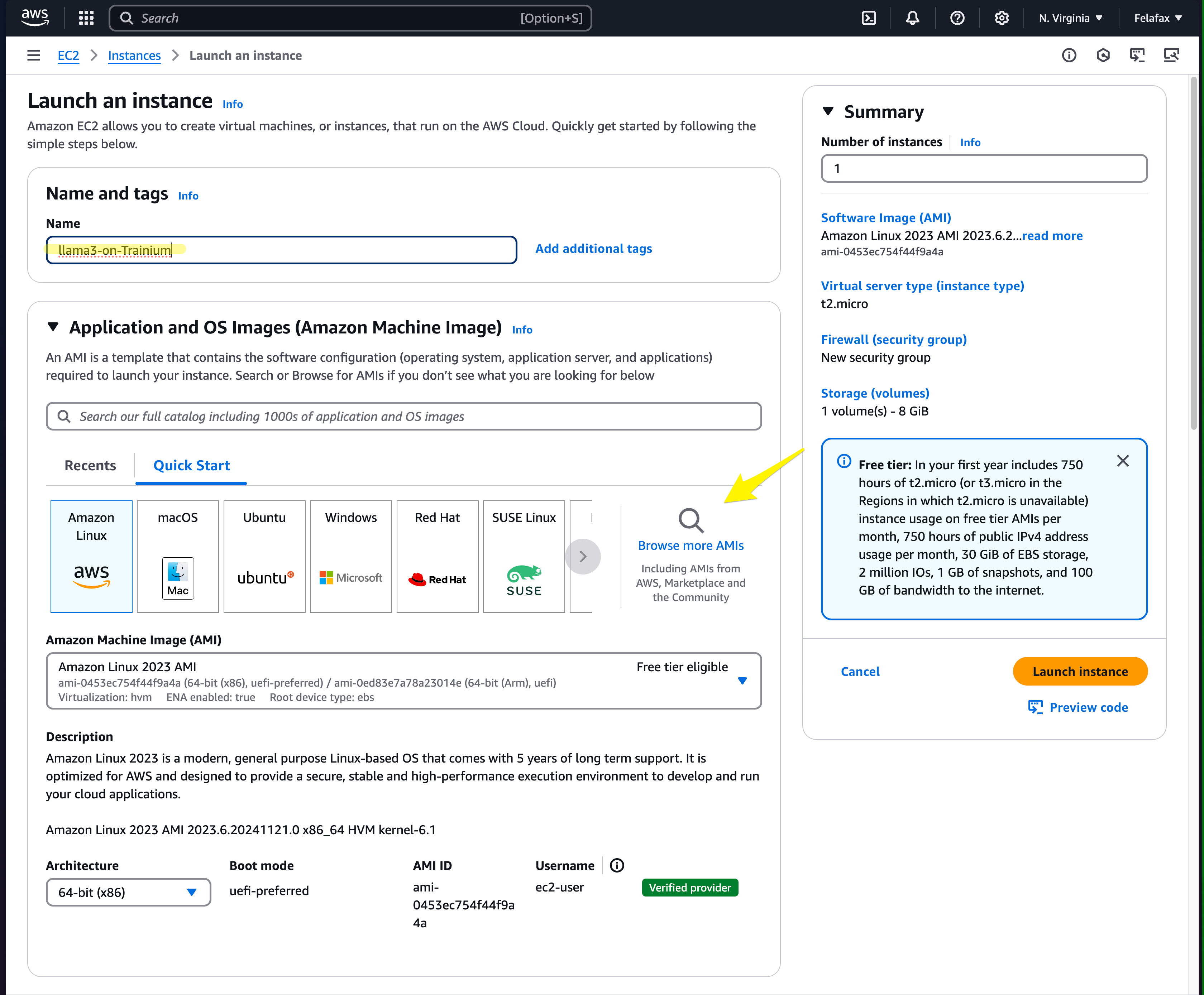
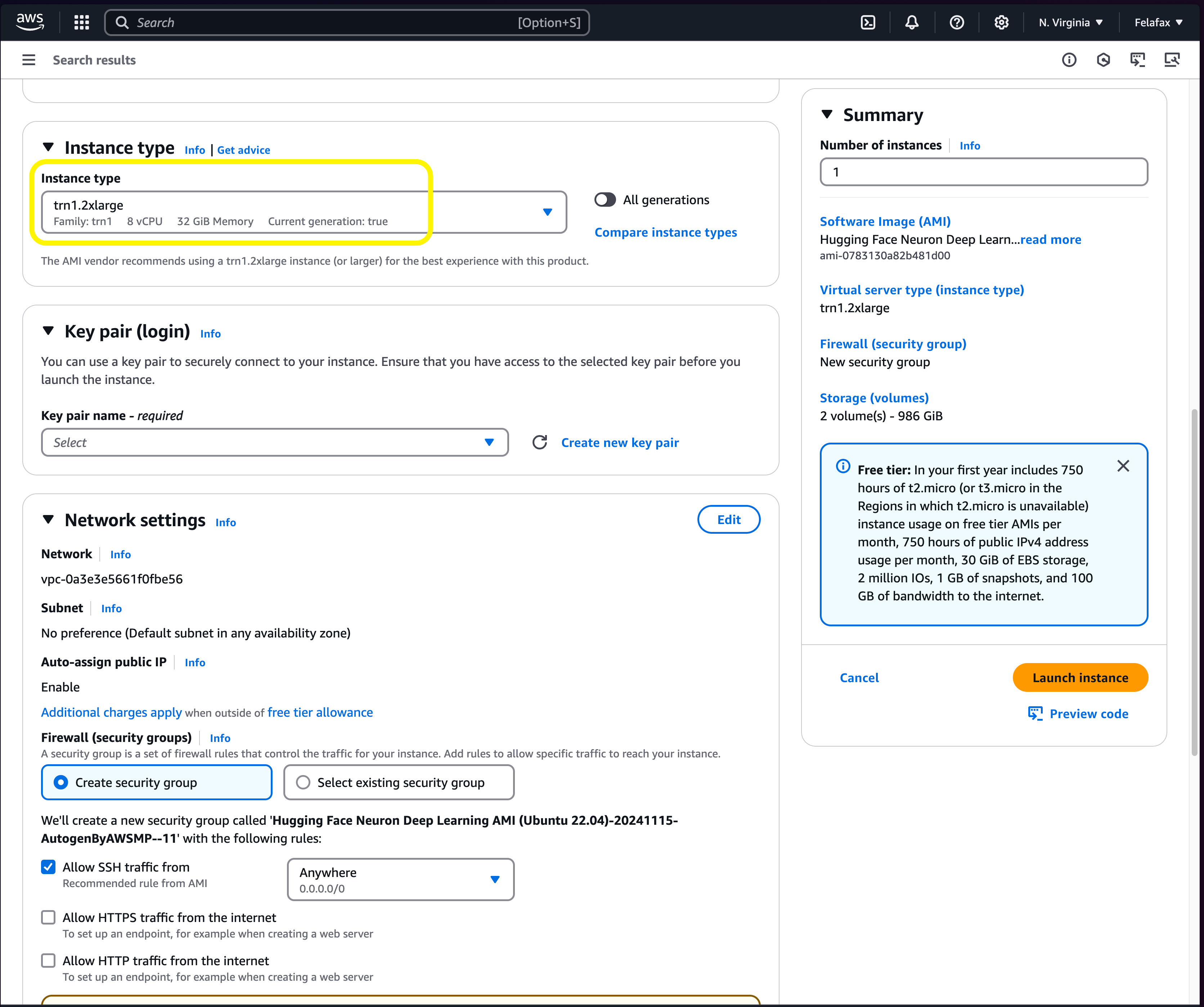
trn1.2xlarge and launch the instance.Step 2: SSH into the instance
Step 2: SSH into the instance
After the instance is live, click on “connect” and follow the instructions to SSH into the instance.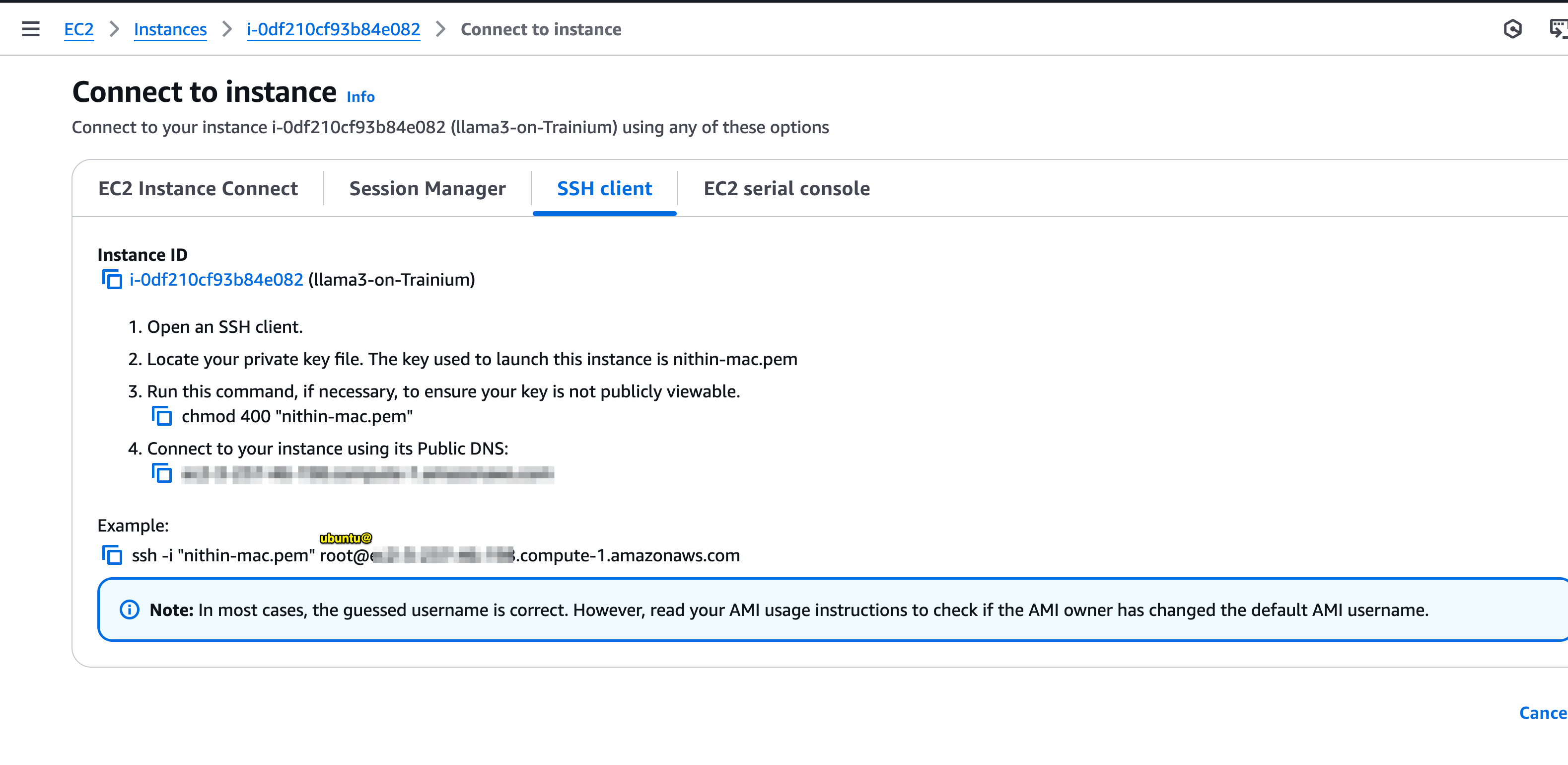
Login to the instance using the ubuntu user.
Step 3: Clone and run fine-tuning
Step 3: Clone and run fine-tuning
a. Clone the repob. Configure hyperparameters in d. Run fine-tuning.
trainers/trainium_llama/pipeline.pyc. Run compilation, which takes around 10 minutes.